

GXDE Hardware Viewer
Overview 🔍
GXDE Hardware Manager is a lightweight hardware information viewer designed specifically for the GXDE desktop environment. It provides comprehensive system information monitoring with a clean and intuitive interface. ✨
Features 🚀
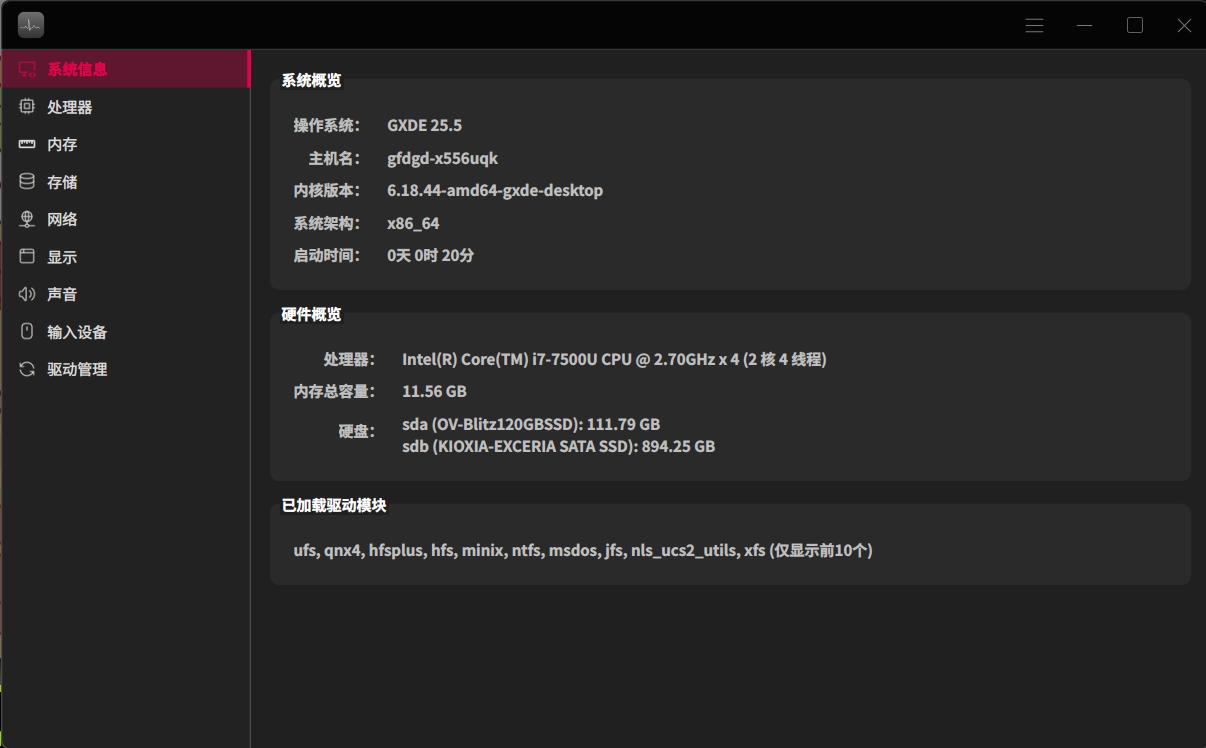
- System Information 🖥️: OS details, kernel version, architecture, uptime
- CPU Monitoring 🔢: Real‑time CPU frequency, core details, and driver information
- Memory Tracking 🧠: RAM and swap usage with detailed statistics
- Storage Analysis 💾: Disk partitions, storage devices, and I/O statistics
- Network Overview 🌐: Interface details, device drivers, and traffic monitoring
- Display Information 🖼️: Graphics card details, resolution, colour depth, and refresh rate
- Audio Devices 🔊: Input/output audio devices and driver information
- Input Devices ⌨️🖱️: Keyboard, mouse, and other input device detection
- Driver Updates ⬆️: Supports fetching driver & kernel updates from system repositories
- Multi‑language Support 🌍: English and Chinese interfaces
- Data Export 📤: Export all hardware information as JSON to the desktop
- Custom Background 🖼️: Choose your favourite image as the background
- Touchscreen Support 🖥️
User Guide 📖
The application features a sidebar navigation with the following sections:
- System 🖥️: Basic system and hardware overview
- CPU 🔢: Processor details and real‑time usage monitoring
- Memory 🧠: RAM and swap statistics
- Storage 💾: Disk partitions and storage device information
- Network 🌐: Network interfaces and traffic data
- Display 🖼️: Graphics card and display settings
- Sound 🔊: Audio input/output devices
- Input Devices ⌨️🖱️: Keyboard, mouse, and other input devices
- Driver Updates ⬆️: Supports fetching driver & kernel updates from system repositories
- Data Export 📤: Click the menu button (☰) in the upper‑right corner and select "Export all information to desktop" to save all hardware information as a comprehensive JSON file. 📄
- Custom Background 🖼️: Click the menu button (☰) in the upper‑right corner and select "Set background wallpaper" to choose your favourite image as the background. If you no longer need it, you can select "Remove background wallpaper" to revert to the default interface.